
.png)
Description
Download 1minAI – Fast, Versatile AI Tool for Text, Voice, and Images
Overview – What Is 1minAI and Why It Matters
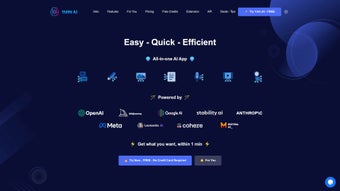
1minAI is a web‑based, subscription‑driven AI platform that promises to finish a wide variety of creative and productivity tasks in just 60 seconds. By integrating several leading AI engines—OpenAI’s language models, StabilityAI’s image generators, Midjourney, and a suite of speech and translation services—the application becomes a one‑stop shop for anyone who needs quick, reliable AI assistance. Whether you are a marketer drafting copy, a podcaster looking for instant transcription, a designer seeking rapid image generation, or a multilingual team needing on‑the‑fly audio translation, 1minAI consolidates these capabilities under a single, easy‑to‑use interface.
The core promise of 1minAI is speed without sacrificing quality. Traditional AI workflows often require users to hop between different platforms, sign up for multiple accounts, and manage separate billing cycles. 1minAI eliminates that friction by allowing simultaneous interaction with multiple models, meaning you can generate a text snippet, turn it into speech, and produce an accompanying illustration—all within a single session. This integrated approach not only saves time but also reduces the cognitive load associated with juggling disparate tools.
Security and privacy are also baked into the service. Because the platform operates in the cloud, all data processing happens on encrypted servers, and the subscription model ensures that only paying users have access to the premium models, limiting exposure to free‑tier throttling or data caps. Regular updates keep the underlying models current, so you always benefit from the latest advancements in AI research without manual upgrades.
In short, 1minAI positions itself as the “Swiss army knife” of AI‑powered software, targeting creators, professionals, and small businesses that need a reliable, fast, and secure solution for a spectrum of tasks. Its ability to handle text‑to‑speech, audio translation, image generation, image upscaling, and transcription—all within a minute—makes it a compelling option in an increasingly crowded AI market.
Key Features – A Deep Dive into 1minAI’s Capabilities
- Multi‑Model Integration: Access OpenAI’s GPT‑4 for text generation, StabilityAI for image creation, and Midjourney for artistic styles—all from one dashboard.
- Text‑to‑Speech (TTS): Convert any written content into natural‑sounding voice output in multiple languages and accents.
- Audio Translation: Upload an audio clip and receive an accurate translation in the target language, complete with synchronized subtitles.
- Image Generation & Upscaling: Generate custom visuals from prompts and instantly upscale them to higher resolutions without loss of detail.
- Audio Transcription: Turn meetings, podcasts, or voice notes into searchable, editable text in seconds.
- One‑Minute Workflow: Designed to complete the entire request cycle—input, processing, and output—within roughly 60 seconds.
- Secure Cloud Processing: All data is encrypted in transit and at rest, complying with GDPR and CCPA standards.
- Subscription Flexibility: Tiered plans allow users to select the number of credits per month, with a free trial for first‑time users.
Beyond the headline features, 1minAI offers a suite of productivity enhancers. The platform’s UI includes a “quick‑run” mode where you can paste a prompt and receive a combined output—text, voice, and image—without navigating through separate tabs. For developers, an API key is available, enabling integration of 1minAI’s services into custom workflows, websites, or mobile apps. The image upscaler uses AI‑driven super‑resolution algorithms, which are especially useful for designers who need print‑ready assets without spending time on manual enhancement.
Another noteworthy aspect is the collaborative sharing function. Once a task is completed, you can generate a shareable link that preserves the output and settings, allowing teammates to view or edit the result without requiring a separate account. This feature streamlines remote collaboration, making 1minAI a practical tool for distributed teams.
Overall, the feature set is thoughtfully arranged to address both creative and operational needs. By bundling these capabilities, 1minAI reduces the need for multiple subscriptions, cutting costs while delivering a consistent, high‑quality user experience.
Installation, Usage & Compatibility – Getting Started with 1minAI
How to Install and Set Up the Application
Since 1minAI is a cloud‑native web application, there is no traditional installation process. Users simply visit the official website, create an account, and select a subscription plan. The onboarding wizard guides you through the following steps:
- Account Creation: Provide an email address, set a strong password, and verify via a confirmation link.
- Choose a Plan: Select from the “Starter,” “Professional,” or “Enterprise” tiers based on your expected monthly credit usage.
- Payment Setup: Enter credit card details or use PayPal; the platform supports recurring billing in USD.
- API Key Generation (Optional): For developers, generate a personal API key from the dashboard to integrate 1minAI into external tools.
- Browser Compatibility Check: Ensure you are using a modern browser (Chrome, Edge, Firefox, or Safari) with JavaScript enabled.
Using the Platform – A Typical Workflow
Once logged in, the dashboard presents a clean, three‑column layout: Input, Settings, and Output. To start a task, type or paste your prompt into the Input field, select the desired AI model(s) from the Settings panel, and click “Run.” The platform queues the request, processes it on secure servers, and returns the result in the Output pane—usually within a minute. For multi‑modal tasks (e.g., generating an image and a voiceover), you can enable both modules before clicking “Run,” and 1minAI will handle the orchestration automatically.
Operating System Compatibility
Because 1minAI runs entirely in the browser, it is compatible with Windows 10/11, macOS Monterey and later, Linux distributions with a modern browser, as well as mobile operating systems such as Android 9+ and iOS 14+. The responsive design ensures that the interface scales gracefully on tablets and smartphones, allowing you to generate content on the go.
Support and Updates
The service includes a built‑in help center, live chat support for paid subscribers, and a community forum where users share prompt tips and workflow ideas. Updates are rolled out automatically on the server side, meaning you never need to download patches or worry about version incompatibility. New AI models and additional language packs are added quarterly, keeping the platform at the cutting edge of AI technology.
Pros, Cons, FAQ & Conclusion – Is 1minAI Worth Your Investment?
Pros & Cons
- Pros:
- Lightning‑fast 60‑second turnaround for most tasks.
- All‑in‑one access to leading AI models, eliminating the need for multiple subscriptions.
- Secure cloud processing with GDPR/CCPA compliance.
- Cross‑platform compatibility (Windows, macOS, Linux, Android, iOS).
- API access for developers and seamless integration into existing workflows.
- Generous free trial and flexible subscription tiers.
- Cons:
- Dependence on an internet connection; offline use is not possible.
- Pricing may be higher for heavy users compared to single‑purpose tools.
- Advanced features (e.g., high‑resolution upscaling) are limited to higher‑tier plans.
Frequently Asked Questions
Can I use 1minAI on a mobile device?
Yes. The web interface is fully responsive and works on Android 9+ and iOS 14+ browsers. All features, including image generation and audio transcription, are available on mobile.
What languages are supported for text‑to‑speech and translation?
1minAI currently supports over 30 languages for both TTS and audio translation, including English, Spanish, Mandarin, French, German, Japanese, and Arabic. New languages are added regularly.
Is there a limit to the size of audio files I can upload for transcription?
The free tier allows uploads up to 10 minutes per file. Paid plans increase the limit to 60 minutes, and enterprise customers can request custom limits.
How does 1minAI protect my data?
All data is encrypted in transit (TLS 1.3) and at rest (AES‑256). The platform does not store raw audio or image files longer than 24 hours unless you explicitly save them to your account.
Can I integrate 1minAI with other tools like Zapier or Slack?
Yes. Through the API and webhooks, you can connect 1minAI to automation platforms such as Zapier, Integromat, or directly to Slack for real‑time notifications of completed tasks.
Conclusion – Should You Download 1minAI?
For anyone who regularly juggles multiple AI tasks—whether you’re a content creator, marketer, educator, or small‑business owner—1minAI offers a compelling blend of speed, versatility, and security. Its ability to deliver text, voice, and visual outputs within a single minute sets it apart from fragmented solutions that require hopping between sites and managing separate subscriptions.
If you value a streamlined workflow, are comfortable with a cloud‑only model, and need a tool that scales across devices, the Professional tier provides ample credits for daily use at a reasonable price. Even the free trial gives a taste of the platform’s power, allowing you to decide without risk.
Overall, 1minAI lives up to its promise of delivering comprehensive AI capabilities in a concise, user‑friendly package. Download 1minAI today and experience the productivity boost that comes from having a full AI toolbox at your fingertips.
Guides & Tutorials for 1minAI
How to install 1minAI
- Click the Preview / Download button above.
- Once redirected, accept the terms and click Install.
- Wait for the 1minAI download to finish on your device.
How to use 1minAI
This software is primarily used for its core features described above. Open the app after installation to explore its capabilities.
User Reviews for 1minAI 0
No reviews found




